
Computer & Tablet Accessories You Can Use To Increase Productivity
To increase productivity, a small business owner does not always have to run out and buy the latest, greatest, fastest computer, tablet; or upgrade their network. There are some simpler and cheaper options available that can help make productivity soar, such as choosing the right computer accessories and peripherals.
It’s All About the Computer Peripherals
Keyboards & Mice for Tablets, Laptops, & Desktop PCs
Consider buying a new keyboard and mouse. We’re not talking about a plain old keyboard and mouse; we’re talking about ergonomic devices with programmable buttons that can be used to 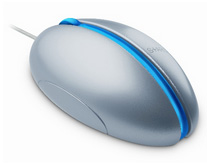 launch commonly used apps or web pages. A comfortable employee or small business owner is a happy one, and a happy one works harder and is more productive.
The popularity of tablets has exploded recently, so if you use one for your business consider tablet accessories such as a Bluetooth keyboard, or consider a tablet with a detachable keyboard.
Buying the right case for your tablet (one that enables you to stand it up like a computer monitor) along with a keyboard gives you flexibility. It’s a portable tablet when you want it and a laptop when you need it.
We all know that typing on touch screens is difficult; don’t let it murder your productivity.
If you regularly use a laptop, consider a wireless mouse, which beats trying to use a touch pad for everything.
It seems odd saying this these days, but if you haven’t already, upgrade to an optical mouse (whether you use a desktop, laptop, or both). The roller-ball in the old style mice gets dirty. When this happens it interferes with the movement of the cursor on the screen making it erratic and aggravating. Roller-ball style mice can be cleaned to fix this (the roller comes out and the rollers can be cleaned), but why waste the time?
Switch It Up
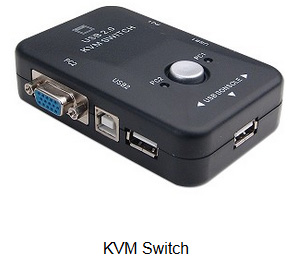
Use a KVM switch (KVM = keyboard, video, mouse). If you use a desktop and a laptop, don’t clutter your desk with keyboards, mice, monitors, and docking stations; with a KVM switch you can easily share these devices between computers when needed.
Dual Computer Monitors — An Office With a View
Consider adding a second monitor to your desktop or laptop set-up. Not only does it look cool (I’ll admit it), but it’s a great set-up for typical office type computer work. Don’t worry about the second monitor taking up more space on your desk; there are stands available that hold 2 monitors and align them precisely.
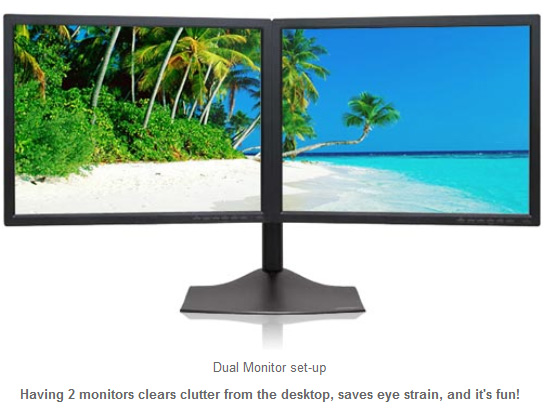
Having 2 computer monitors clears clutter from both the real and the virtual desktop, saves eye strain, and its fun!
Business Card Bliss
Who among us does not have at least 500 different business cards from friends, clients, service providers, and other business contacts? Why not consolidate all that contact information into one convenient file? For this, a card scanner can be obtained.
Better yet, there are web-based applications that allow you (for free!) to send your business card directly to someone’s smart phone via SMS (text messaging).
While this has become popular to the point of virtually eliminating traditional paper cards in some parts of the U.S., there are many other parts where this is not commonly used, so be sure to see if your friends and contacts are aware of this or comfortable using this technology first.
There are many other computer accessories that can make a small business owner’s life easier. As technology continues to evolve, there is no doubt that more will show up on the scene, while others may be pushed into obscurity as they become obsolete.
Meanwhile, think about how using the computer peripherals in this bog article can increase productivity for your business.
Leave a Reply