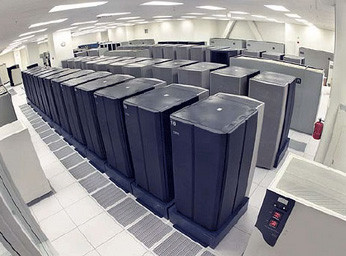
So, you run a business. The question is do you need a server for your small business?
Many small or home businesses have a network setup where they can share files and a printer between 2 or more computers. The advent of Wi-Fi connected printers and cloud based applications like Dropbox have made this even easier.
While these types of tools may be sufficient for small home based businesses and networks, a business outside of the home with 5 or more employees (or computers) may benefit from upgrading to a server rather than using a desktop computer as a “pseudo-server,” Wi-Fi enabled printers, or cloud-based storage geared towards average users rather than businesses.
What Is a Server Anyway?
At first glance, a server computer may appear to be nothing more than a desktop PC.
Nothing can be further from the truth though.
Normal desktop PCs are usually not as powerful, lack redundancy (which can help keep your business going in the event of a problem) and the reliability of a server, and are not optimized for sharing files and resources. There are also other important differences, too.
There are many advantages to having a server, but get ready to spend some money. The machine itself is more expensive and so is the NOS (network operating system — i.e. Windows Server). Not only that, but you’ll pay more for the expertise to set things up and keep them running smooth.
It may very well be worth it though.
For one thing, server computers were designed for sharing files, printers, and other resources between multiple users accessing the machine all at once. A regular desktop computer (and the network it’s on) with more than 2 or 3 people accessing it at the same time can be slowed to a halt, and conflicts can occur if more than one user tries to modify a given file at once.
Additionally, a business can have its employees work from home or other remote areas, which increases productivity (if employees wish to finish up at home during the evening they can), and can even save money on office space by letting some employees work at home on a regular basis.
This scenario is becoming more common as commutes grow longer; more expensive due to rising fuel costs, more aggravating, and also as workloads increase beyond the standard 40 hours (while employees’ desire to spend time at home with family increases).
Keeping everything in one place simplifies life.
Backups become easier, and so does implementing security: it’s easier to keep anti-virus programs up to date and to make sure scans actually occur. One can also manage and monitor employees’ Internet access, control and/or restrict employee access to certain files or folders (does HR really need access to accounting documents?), restrict log on hours, block spam, and more.
So, Does Your Business Need a Server?
Maybe or maybe not. Here are some questions to ask yourself. Keep in the mind that the below is just a guide; while there are no hard, fast rules that can be applied to every situation, the below should help shed some light on this question.
- Does your business have 5 or more employees who use computers?
- Are there files/folders that you’d like to restrict certain employees from accessing?
- Does your business host its own website?
- Would you like to make security (virus protection, backups) easier and more centralized?
- Would the business benefit from the increased reliability of redundant power supplies, hard drives, etc?
- If your business has 2-5 people with computers accessing shared files etc, does the network tend to run slower than it should?
- Can the company afford to spend a few thousand dollars on the server, client computers, and the expertise to set things up?
- If so, will the benefits out-weigh the costs?
Servers and the networks they run can be complex and expensive, so careful consideration and perhaps even consultation from an IT professional should be used before any decision is made.
Hopefully this article at least answered some common questions about computer servers and small businesses.
Leave a Reply